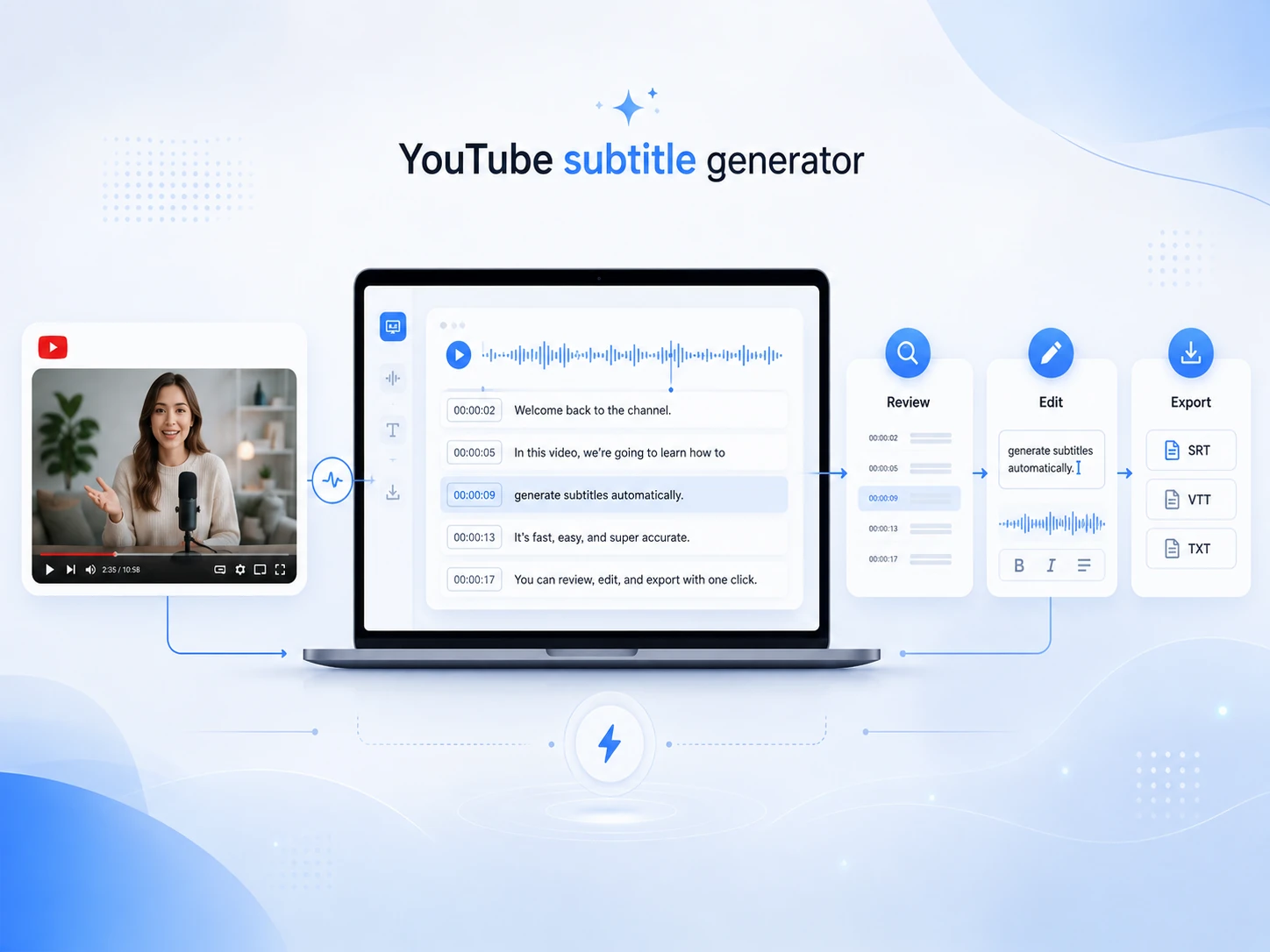
YouTube subtitle generator is an AI online tool designed to convert YouTube videos into text. Tools like Video Transcription AI transcribe speech, add precise timestamps, and format the output into structured subtitles or scripts that you can easily upload for reuse.
Free YouTube Subtitle Generator Online
Generate subtitles with YouTube subtitle generator: URL-based processing, AI speech detection, and instant delivery of subtitles with timestamps.

Powerful Features of YouTube Subtitle Generator
Designed to streamline your YouTube workflow, YouTube subtitle generator handles everything from subtitle drafting, global script localization, and AI-driven interactive analysis. The entire process remains efficient and intuitive, requiring only a few simple clicks.
Free Auto Subtitle Generator for Simple Workflows
With no complex interface or steep learning curves, this free automatic subtitle generator allows you to quickly create subtitle drafts from YouTube content. It is particularly well-suited for workflows requiring simple review, editing, and export processes.
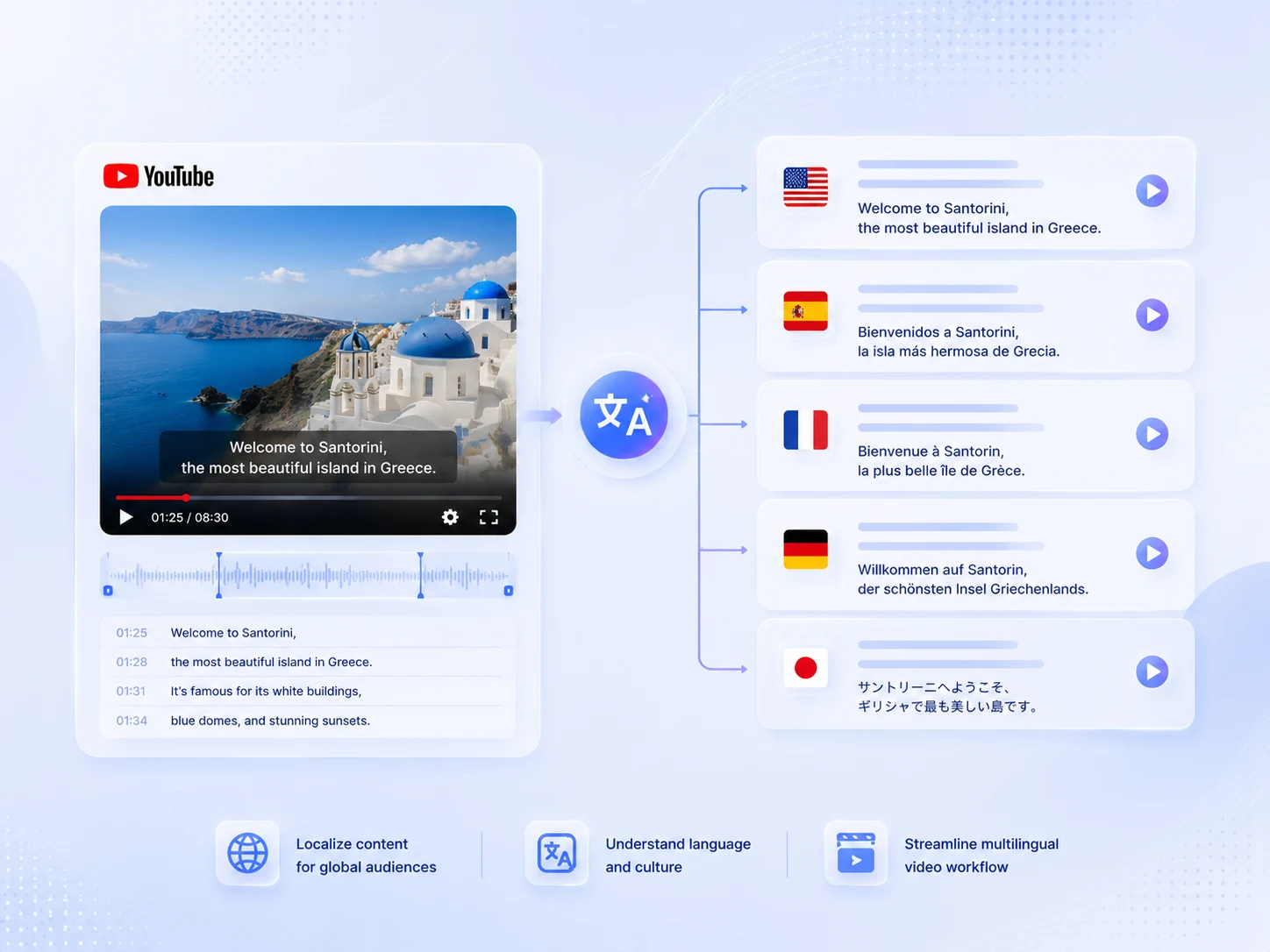
Translate YouTube Subtitle to Reach International Audiences
Whether your goal is to localize content for overseas audiences or learn a foreign language on YouTube, YouTube Subtitle Generator enables precise translation, streamlines your multilingual video production workflow, and helps you understand foreign idioms and local culture.
Interact with YouTube Subtitle Generator
Once the subtitle script is ready, you can interact with our AI assistant. You can ask questions such as "Summarize a specific speaker's points," "Extract key data or statistics," "List and explain five keywords," or "Generate an outline." Instantly grasp the core content without having to manually sift through the text.

How to Generate Subtitles in YouTube with 3 Simple Steps
YouTube subtitle generator takes less than a minute to go from a simple link to fully formatted subtitles.
- 01
Paste the YouTube Video Link
Copy your YouTube video link and paste it into this tool.
- 02
Generate Subtitles
Click the generate button, and YouTube subtitle generator will recognize speech and create timestamped subtitles in a few seconds.
- 03
Read & Export
Review the generated YouTube subtitle script alongside the video player. Copy the text or download the subtitle file in your preferred format.
What Users Say About This YouTube Subtitle Generator?
I use Video Transcription AI to process long YouTube lectures and research talks. The main benefit for me is not just the subtitles, but the ability to read and search the transcript afterward. When I am reviewing a topic, I can find important parts faster and copy useful sections into my notes. For academic content, I still check technical words carefully, but the tool is very helpful for study and review.

Hannah Lee
Student
Our team often repurposes YouTube videos into blog posts, newsletters, and short social captions. Having a YouTube subtitle generator available makes that process easier because we can quickly identify useful quotes, key sections, and main points. Also, the interface is simple enough for team members who do not work with subtitle files every day.

Sophia Martinez
Marketing Manager
I use YouTube subtitle generator mainly for educational videos and recorded lessons. The subtitle output is clear enough for students to follow, especially when the audio quality is good. What I find most useful is that the subtitle is structured with timestamps, so I can turn a long recording into searchable learning material.

Daniel Brooks
Course Instructor
FAQs About YouTube Subtitle Generator
We've got everything you may want to know about creating, editing, and downloading accurate YouTube subtitles. If you have other questions, welcome to contact our service via email.
Start Your YouTube Subtitle Generator Workflow Today
Generate subtitles with YouTube link in a simple workflow. After the subtitle text is ready, you can copy, edit, summarize, or export it for your project.
Get Started for FreeNo Registration Required
100% Free Online Tool
Beginner-Friendly Workflow