AI Video Summarizer vs Otter AI: Better Video Workflow
With the rise of online learning, remote meetings, and short-form video content, efficiently processing video and audio has become a daily necessity for many professionals. The challenge often lies not in capturing the content itself, but in extracting what truly matters and recreating what, without spending hours watching or listening.
AI Video Summarizer and Otter AI represent two good transription tools. While both help users save time, they approach the problem from opposite angles.
This guide breaks down the key differences between AI Video Summarizer and Otter AI, covering their core features, ideal use cases, and pricing, so you can decide which one fits your workflow.
AI Video Summarizer vs Otter AI: Overview
| Aspect | AI Video Summarizer | Otter AI |
|---|---|---|
| Login required | ✅No registration limit | ⚠️Registration required |
| Trial Limit | ✅Free trial | ⚠️Free trial(300min/month) |
| Pricing | ✅Free | ⚠️Premium |
| Output Formats | PDF & TXT & Word & SRT | PDF & TXT & Word & SRT |
| Output Price | ✅Free | ⚠️TXT(free), PDF & Word & SRT(Pro only) |
| Input Formats | Video, audio, images, PDF, social media platforms | Video, audio, live meetings |
| Language | ✅120+ | ⚠️6 |
| Chat Intelligence | ✅AI chat | ✅AI chat |
| Device Support | ⚠️Web-based | ✅Web-based, desktop apps, mobile apps |
| Privacy | Account-based storage | Account-based storage |
| Extension | Chrome extension | Chrome extension |
| Ideal Use Cases | Team members, students, researchers, content creators, YouTubers, course learners | Live meeting transcription |
| Video platforms | YouTube, TikTok, Instagram | Works with Zoom, Google Meet, or Microsoft Teams |
Form the above table, there is a clear distinction between AI Video Summarizer and Otter AI in terms of productivity workflow. AI Video Summarizer is geared toward content processing and social media repurposeing, while Otter AI is optimized for live meeting management and team collaboration.
What Is AI Video Summarizer?
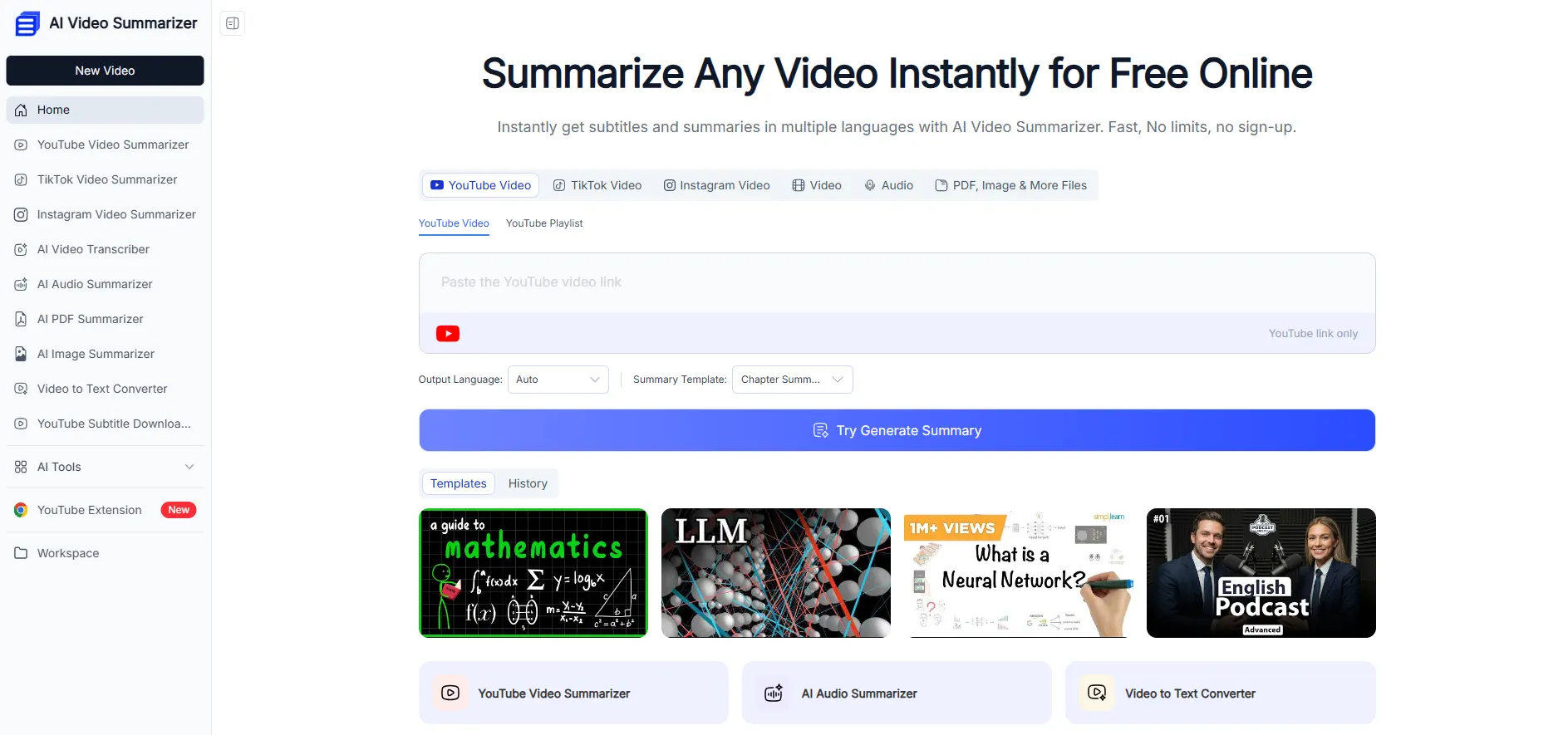
AI Video Summarizer is a tool that helps users quickly get the main points from long videos, audios, or articles. It works great for many things, like learning from tutorial videos, listening to school lectures, or checking out interviews. With this tool, users can understand the most important information right away without spending hours watching or reading the whole thing.
Unlike other simple summary tools, AI Video Summarizer does not just give users a boring, fixed list of text. It can handle all kinds of media formats and focuses on helping users truly learn, question, and use the information in their daily tasks.
Key Features
- No login and trial restriction
- High accuracy for content generation
- Available for 156+ languages
- Structured mind map generation
- 100% free and no extra fees
- AI summmary templates for different use cases
What Is Otter AI?
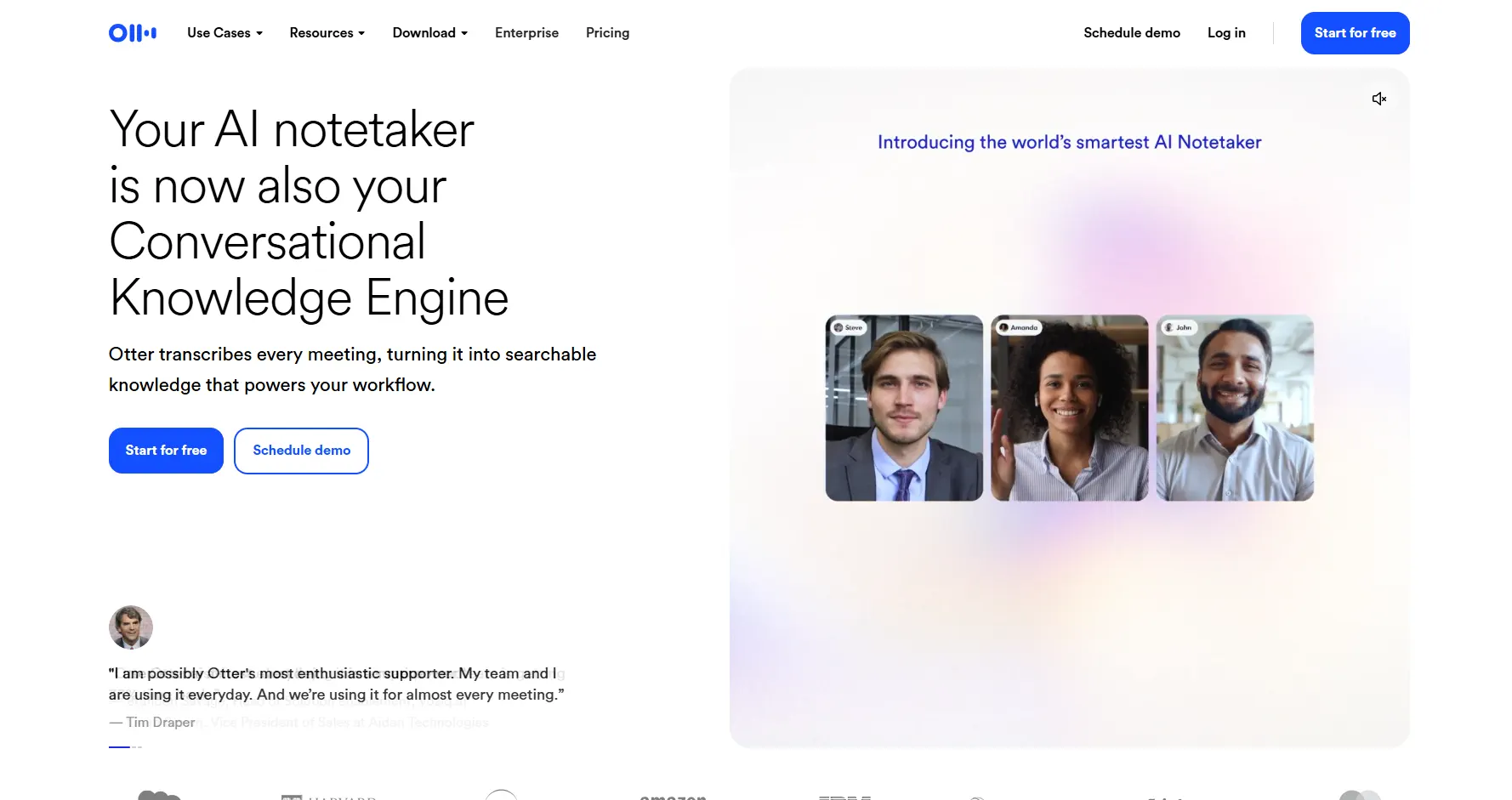
Otter AI is a real-time corporate assistant optimized for business workflows. It joins meetings from the user's calendar, seamlessly integrating with platforms like Zoom, Teams, and Google Meet to boost team productivity.
Key Features
- Real-time meeting trancription
- Multiple speakers identification
- Canlendar integration & meeting recording
- Cross-platform support (Website & Apps)
AI Video Summarizer vs Otter AI: Where They Differ
AI Video Summarizer vs Otter AI: Daily Workflow
| Aspect | AI Video Summarizer | Otter AI |
|---|---|---|
| Login Required | No registration (100%) | Yes |
| Steps to Access | 2-3 steps | 4-6 steps |
| Video Upload | ✅Unlimited (100%) | ⚠️Unlimited for Business Plan |
| Video Length | ✅Unlimited (100%) | ⚠️Limited |
| Link Upload | ✅Yes (YouTube, TikTok, etc) | ⚠️Limited |
| Other Inputs | Audio, images & multiple file formats | Audio & meeting URL |
| Waiting Time | Seconds | Real-time & recording review |
| Devices | Web-based | Web-based, desktop apps & mobile apps |
AI Video Summarizer: Frictionless & Fast
AI Video Summarizer is designed to promote the user experience within daily workflows. Users can start the engine quickly without bothering account creation or logging in. After accessing the page, users can upload a local file or input a video URL (e.g., YouTube). The system generates results within a few seconds.
The Typical workflow includes:
- Open the web-based tool
- Upload files or links
- Review and share transcripts
In short, without setup and cost, a simple three-step daily routine can help individuals boost productivity from the very first click.
Otter AI: Structured and Corporate-Focused
Otter AI is ideal for high-frequency, team-based scenarios. Otter AI users are required to register an account and log in before use.
The Typical workflow includes:
- Open the tool
- Sign up and log in
- Paste meeting URL or videos(3 for free)
- Receive transcript
Though Otter AI has a higher entry barrier, its cross-platform apps cover a broader range of use cases, making it better suited for ongoing use and corporate-based workflow.
Summary:
In terms of daily workflow, AI Video Summarizer offers zero barriers to entry and unlimited usage, and its core strengths lie in its breadth, speed, and accessibility. While Otter AI is a full-featured meeting transcription & collaboration platform. It offers wider device coverage, team collaboration, and deep scenario support.
AI Video Summarizer vs Otter AI: Content Delivery
| Aspect | AI Video Summarizer | Otter AI |
|---|---|---|
| Download Formats | ✅Unlimited | ⚠️Limited |
| AI Summary | Advanced | Basic |
| Summary Templates | 30+(free) | 6 (upgrade for more) |
| Languages Supported | ✅100+ | ❌Six only |
| Interactive | ✅Yes | ✅Yes |
| Subtitle Generation | ✅Yes | ❌No |
| Mind Map | ✅Yes | ❌No |
| Video Tracks | ✅Yes | ❌No |
| Shared Workspace | ❌No | ✅Yes |
AI Video Summarizer: Advanced Processing Model
AI Video Summarizer supports unlimited downloads, advanced AI-powered summaries, along with over 30 free summary templates, enhancing efficiency and flexibility for users processing complex video and audio content.
Core advantages are:
- No Export Limit: Offers unlimited download formats with no restrictions on usage
- Rich Advanced Features: Provides advanced AI summarization, 30+ free templates, to suit different scenarios (learning, meetings, interviews, etc.)
- Extensive Language Coverage: Supports over 100 languages, covering a broad global user base
- Other Unique Capabilities: Includes interactive features, subtitle generation, mind map creation, and video track support for enriched output
Otter AI: Centered on Collaboration and Simplicity
Otter AI's output approach is designed around team collaboration and streamlined meeting documentation, with a strong emphasis on shared workspaces and basic summarization needs.
Common usage includes:
- Dedicated shared workspace, enabling team collaboration and centralized access
- Provides interactive capabilities for reviewing and editing within teams
- Shares thoughts, feedback, or ideas with team members
Summary:
In AI Video Summarizer vs Otter AI, AI Video Summarizer goes beyond simple transcription, offering advanced, comprehensive features designed for content repurposing. On the other hand, Otter AI is more tailored to basic day-to-day team coordination and information retention through its shared workspace feature.
AI Video Summarizer vs Otter AI: Pricing Model
| Aspect | AI Video Summarizer | Otter AI |
|---|---|---|
| Trial Plan | ✅Free | ❌Free trial with limits |
| Pricing Model | ✅Completely free | ❌Premium plans |
| Starting Price | ✅Free | ❌Free in 300min/month |
| Export Limit | ✅No | ❌Limited |
AI Video Summarizer: 100% Free & Unrestricted Plan Model
AI Video Summarizer is completely free, which provides free trial, free input and free output. Users can fully utilize the service through a true free trial and continuous free access, ensuring that exporting data remains completely unhindered by quotas.
Main Advantages Include:
- Free trial with no time or feature restrictions
- No premium plans required
- No pay for number of uses
- No export limits
Otter AI: Tiered Premium Model
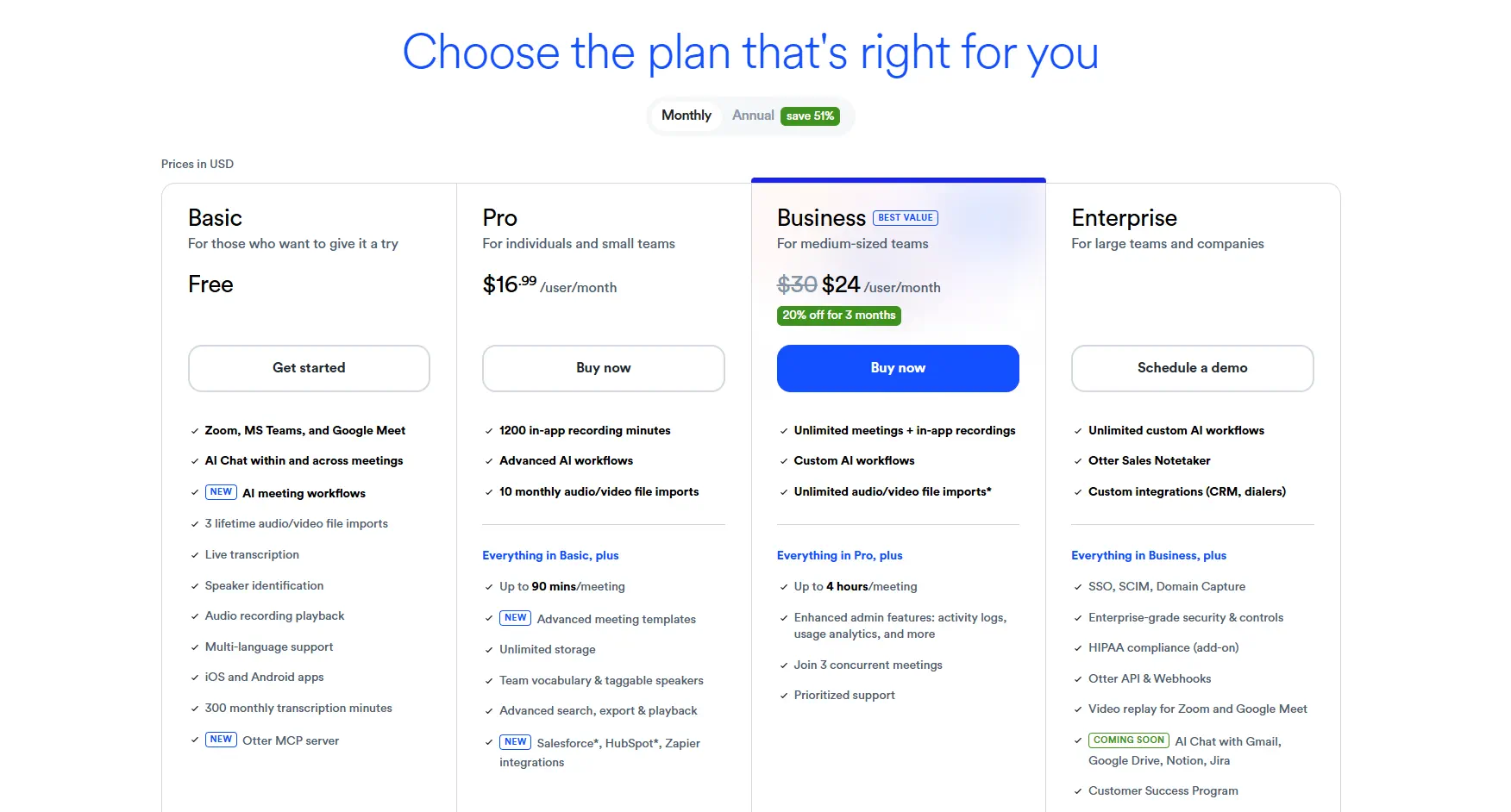
Otter AI employs a tiered pricing model for individuals and businesses, charging for long-term use and premium features.
Main Characteristics Include:
- Provides a free trial, but with strict usage limitations (e.g., 300 minutes/month)
- Premium plans required to unlock advanced features and higher usage limits
- Export functionality is limited on the free tier, pushing users toward paid subscriptions
Summary:
AI Video Summarizer stands out for its high accessibility, offering an entirely cost-free model without any functional or volume restrictions. Conversely, Otter AI focuses on a premium commercial model, making it more suited for users or enterprises willing to pay for advanced ecosystem integration once they exceed the restricted monthly free limit.
AI Video Summarizer vs Otter AI: Chrome Extension
| Aspect | AI Video Summarizer | Otter AI |
|---|---|---|
| Core Use Cases | Content creators, students, researchers, professionals | Business meetings |
| Video Limit | No | 300 min per month |
| Supported Platforms | YouTube, TikTok, Reels, and audio | Google Meet, Zoom, YouTube, Microsoft Teams |
| Working Mechanism | Operate on the YouTube interface | Record system sound |
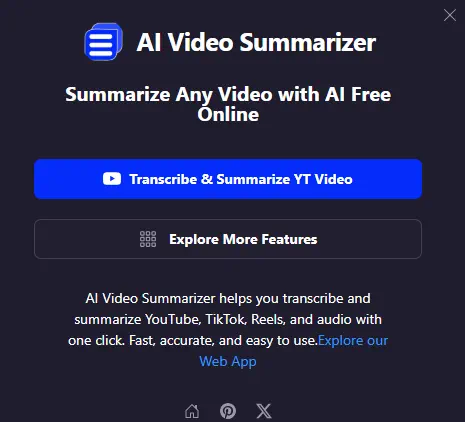
AI Video Summarizer focuses on seamless, everyday usage across popular media platforms without limiting the user's volume. It processes summaries directly within the video platform interfaces, making it incredibly frictionless for summarizing public content on the fly.
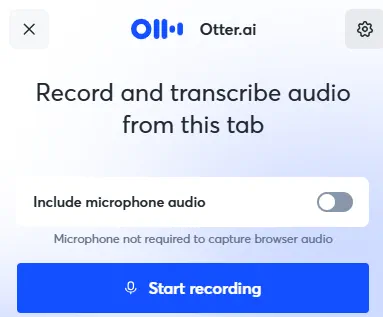
Otter AI's workflow is built primarily around recording system audio and capturing speech across professional meeting environments. It offers structured monthly limits on its tier, making it highly specific to formal conversations and workplace integrations.
How to choose
Choose AI Video Summarizer if:
- A cost-friendly solution is required
- Multiple input formats (Images, PPT, TXT, etc) are needed
- The primary platforms are public social media
- High flexibility and deep insights are needed
- The content involves diverse global communication
- A friction-free browser experience is preferred
Choose Otter AI if:
- The main focus is corporate or academic meetings
- Real-time team collaboration is necessary
- The workload fits within standard limits
- The process heavily relies on capturing live or system audio
Final Thoughts
After comparing AI Video Summarizer vs Otter AI in terms of daily workflow, content output, pricing model and Chrome extension, they are fundamentally built for different target audiences.
AI Video Summarizer is the better choice when the goal includes:
- Turning video into text
- Generating subtitles
- Repurposing media content into structured, organized content
Otter AI stays an ideal option when the work involves:
- Meetings
- Team collaboration
- Capturing real-time conversations
AI Video Summarizer operates as an entirely free, unrestricted power optimized for individual creators, researchers, and general users.
Otter AI functions as a highly integrated, premium-tier meeting assistant built to streamline structured team communication and live enterprise audio environments.